FireMon Asset Manager 5.6
Release Date: 6 February 2026
Summary
FireMon is pleased to provide this overview of the new features and enhancements made for this Asset Manager 5.5 release, which is recommended for all users.
FireMon Asset Manager version 5.4
The upgrade file is now available in FireMon User Center > Downloads.
The supported upgrade path to Command Center 5.6 is from the 5.4 and 5.5 releases.
For the upgrade procedure, see Upgrading Asset Manager.
We recommend upgrading your Scouts whenever you upgrade your Command Center. However, Scouts 5.4 and 5.5 are compatible with Command Center 5.6.
Adding a second interface in releases 5.4 or 5.5 will fail. Release 5.6 fixes this issue. Please upgrade to 5.6 if needing to add a second interface.
Highlights
-
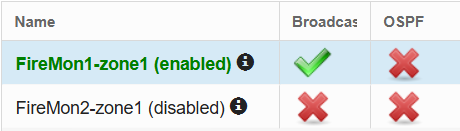
The Collector Status is more clearly visible.
-
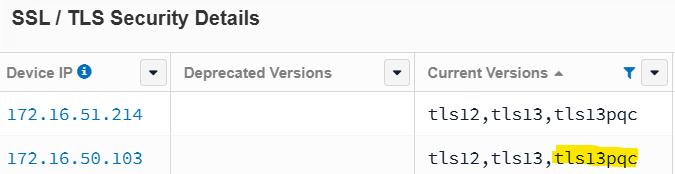
The SSL/TLS checker now tests TLS 1.3 connections using post-quantum cryptography (PQC) and can easily report on devices that support the ML-KEM group standard.
-
NetFlow integration enables you to better leverage ingested NetFlow data by creating devices from observed IP addresses. Once enabled, Asset Manager can report on bad actor IPs, shadow IPs, network segmentation discrepancies, and IoT port discovery.
-
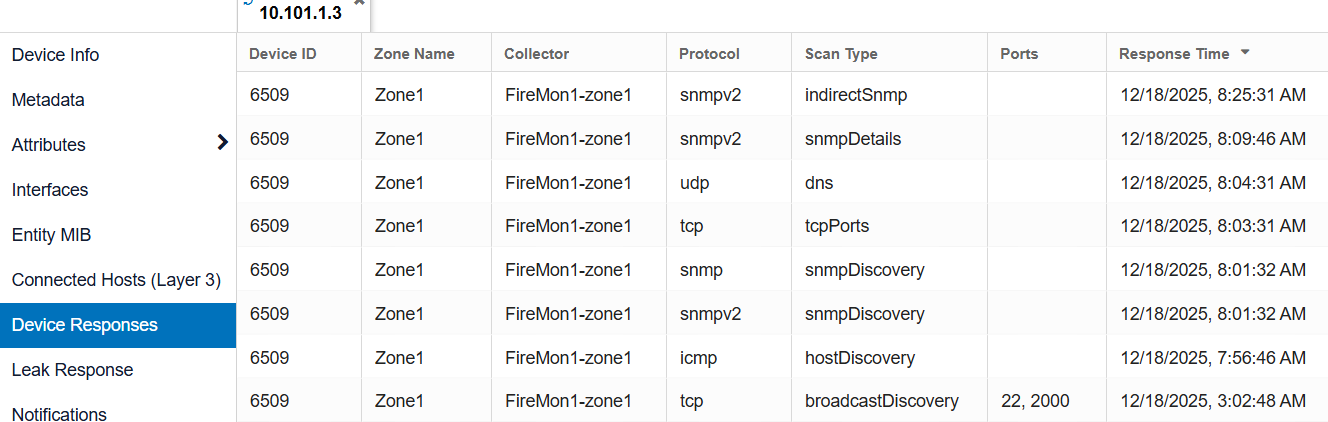
New Device Responses page: View all protocol and scan-type responses for a single device in one consolidated page within Device Details.
-
Deny List added to the Infoblox integration: This feature allows users to define network spaces that should not be pushed to Infoblox.
-
Create networks in Tripwire by collector name: Asset Manager can now create more granular Tripwire networks based on the collector name. When enabled, Tripwire networks follow the naming convention: Zone Name (Collector Name) (Command Center Name).
-
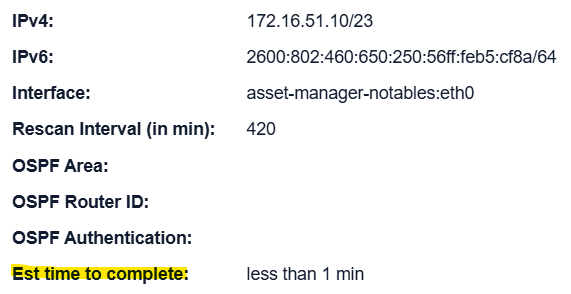
Estimated time-to-complete scan: The Collector Info button now displays the estimated time required to send all target packets onto the wire.
-
Locally Assigned MAC Addresses report: A new report identifies devices using locally assigned (randomized) MAC addresses.
-
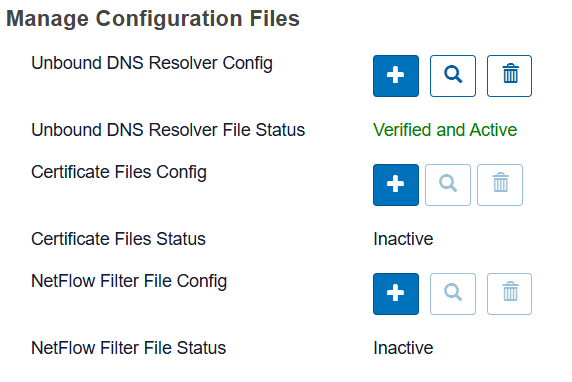
UI support for file uploads: Asset Manager now supports managing configuration and PKI files directly from the UI. This applies to features such as Secure Syslog, NetFlow filtering, and encrypted DNS, all of which require customer-specific files. Files can be managed in Settings > Asset Manager Systems.
-
AWS S3 bucket monitoring: Monitor AWS S3 bucket size and encryption status. Asset Manager also estimates monthly S3 storage costs and highlights opportunities for cost savings.
-
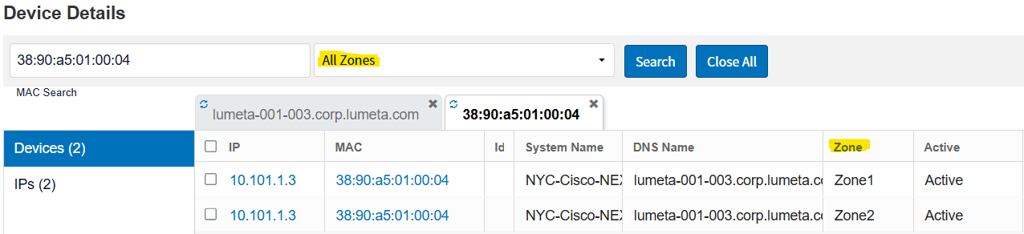
Search for a device across all zones: A new All Zones dropdown has been added to Device Details, allowing you to view the status of a single device across all Asset Manager zones.
Noteworthy Resolved Issues
-
Active Directory support for nested groups
-
Active Directory support for numeric-only usernames
-
SNMP v3 host discovery: When SNMP is selected for host discovery, both SNMPv2c and SNMPv3 packets are now sent.
-
ServiceNow application certified for the Xanadu release
-
AWS account aliases added to AWS Cloud device details
-
IoT database updates and new vendor additions
-
Integration inactivity events: An event is now generated when an integration becomes inactive and can be forwarded to your SIEM or data lake.
-
Active Directory fix for duplicate usernames: Resolved an issue where duplicate Active Directory usernames were generated in Asset Manager.
Security Updates & STIG
This release updates Rocky 9.5 to 9.6. Release 5.6 resolves common vulnerabilities and exposures (CVEs) and incorporates a variety of security-related (and non-security-related) enhancements.
Database Schema
The database schema provides a visual representation of the database. You can request the 5.6 database schema from Asset Manager Support.